
Upwork is one of the most trusted platforms for freelancers and businesses to collaborate and share experiences through reviews. These reviews play a vital role in showcasing credibility, building trust, and attracting more clients or projects. Managing and displaying these valuable Upwork reviews effectively can help enhance your professional reputation and brand image.

The Omnireview Tool simplifies this process by allowing you to fetch, organize, and manage Upwork reviews automatically — all in one dashboard. Instead of manually collecting each review, Omnireview’s Chrome Extension enables you to import them directly from your Upwork profile with just a few clicks.
In this guide, we’ll walk you through the step-by-step process of fetching reviews from Upwork using the Omnireview Tool, viewing them in your dashboard and managing them efficiently for website display or analytics purposes.
Steps
- Create an account on Omnireview site and obtain a Token. Kindly follow to this document to know how to create an account on Omniereview and setup the extension.
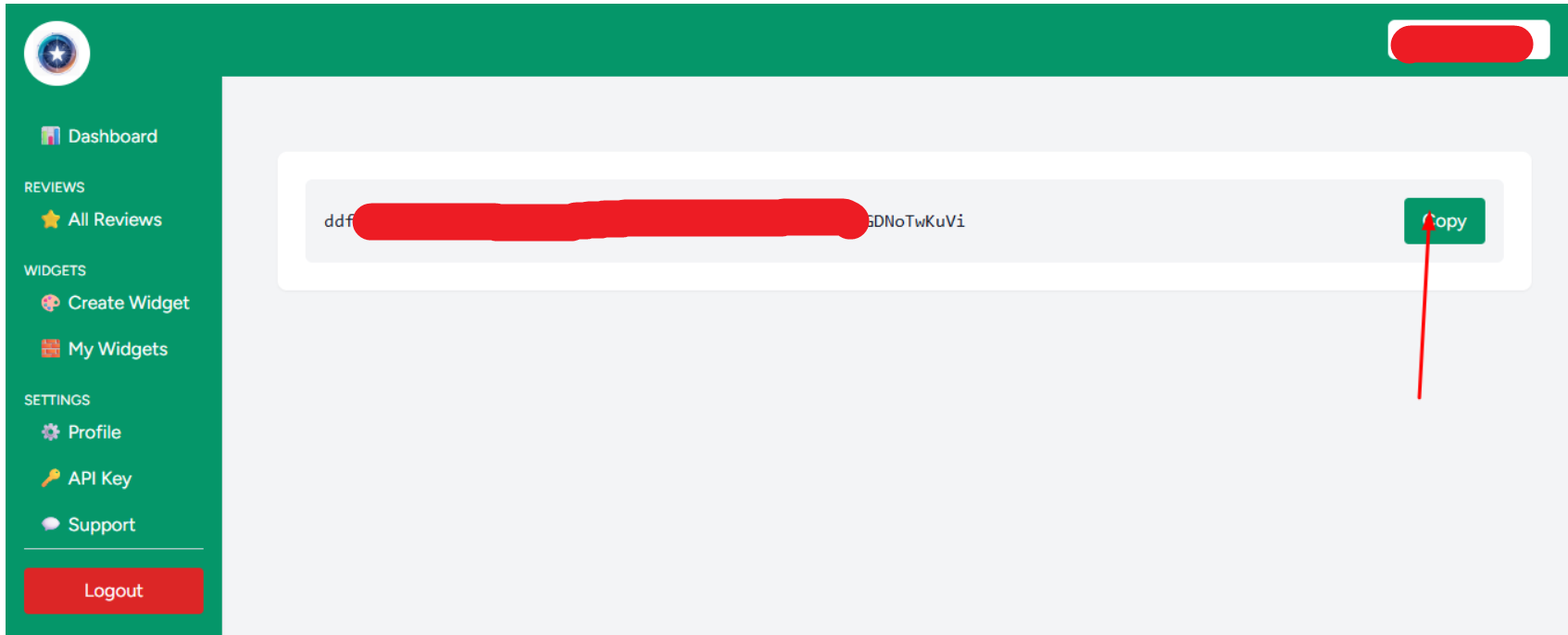
- Copy the token, then click on the Omnireview extension installed in your browser. Go to your Upwork profile, navigate to the Reviews section where your client feedback is listed, and click on “Start Collecting Reviews” to begin fetching the reviews.
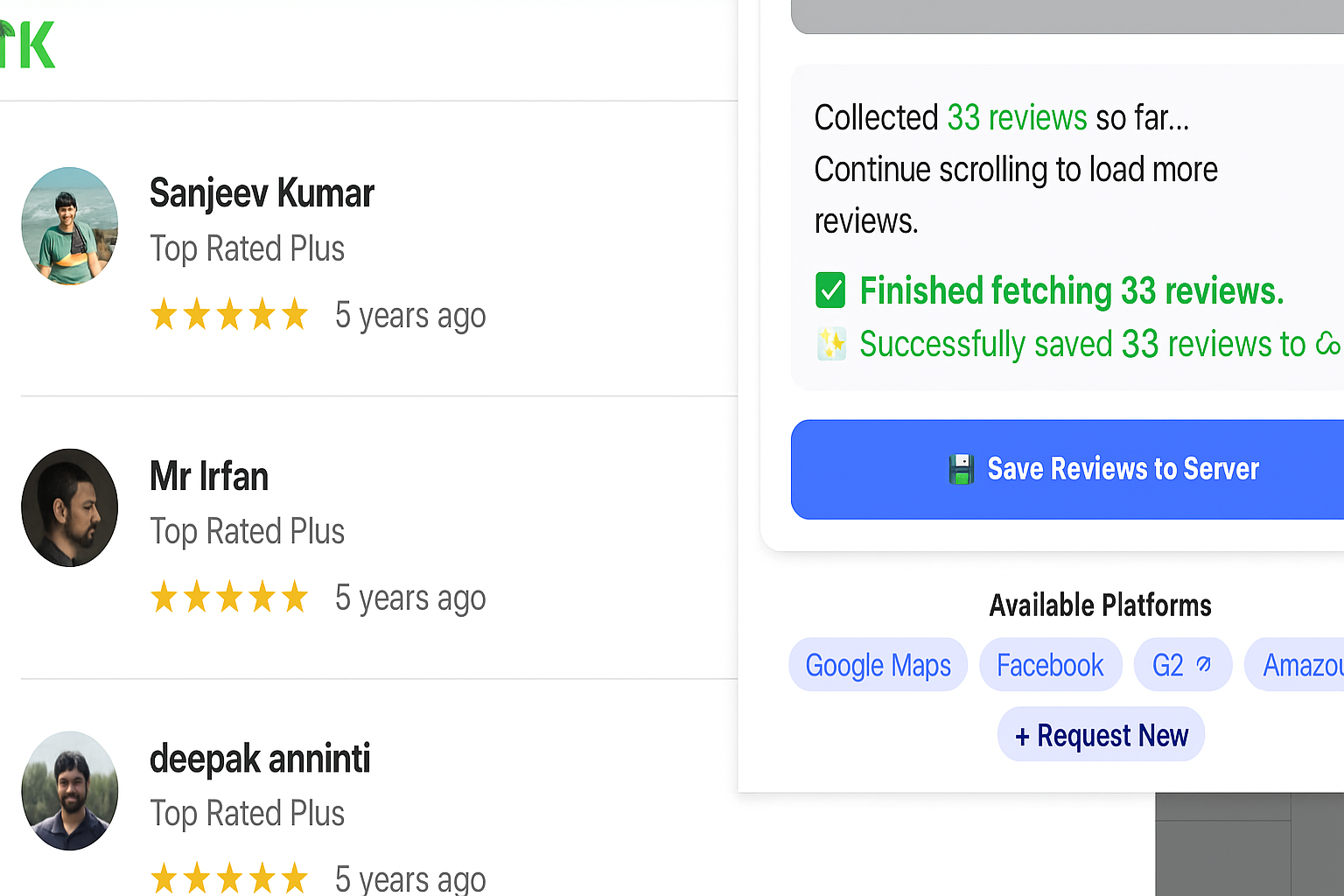
- Click on save reviews on server and go back to your omnireview dashboard.
- On the dashboard, click on “All Reviews” to view the collection of reviews gathered from Google Reviews using the Omnireview tool.
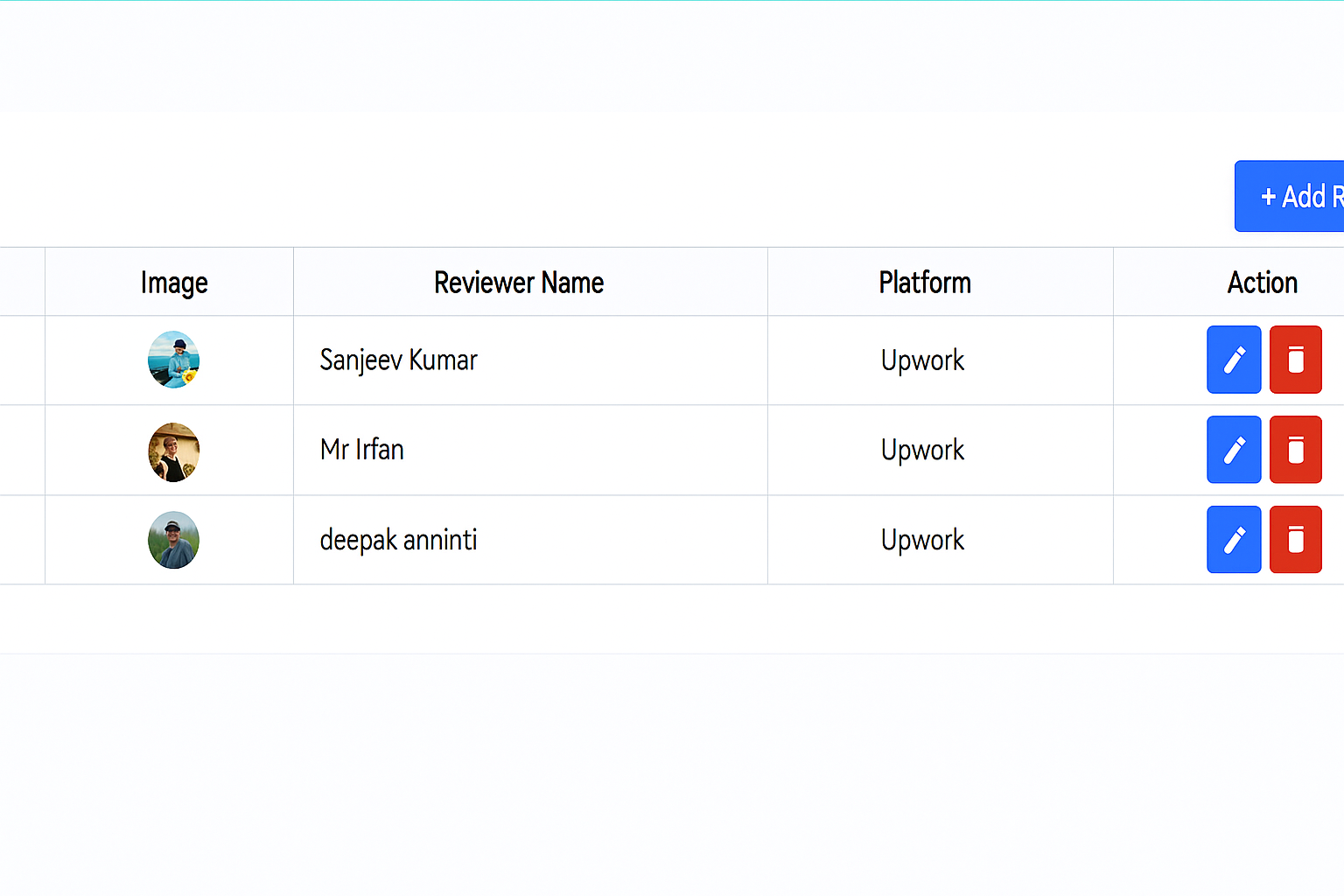
This way you can collect the reviews using Omnireview Tool. That’s it for this tutorial.


